Good evening Fountain team!
? The Trust Team is proud to say that the migration to Google Workspaces from JumpCloud is going well!
We have now had 129 users signed up in Google Workspaces. There are still around 80 folks who need to take action from my initial email, so please do not wait! Out of those 129 individuals, there was only a small handful that had any issue!
SSO is in progress too! Carl announced Concur last night, and I am proud to say that Concur is SSO compatible today! You may see a few other options in your Apps Menu.
If you are unsure where to find the apps, no worries! While in https://myaccount.google.com click on the dot grid, in your top right (also see image below). That is called the App Switcher. In there you will find Google Docs, Sheets, Drive, AND Concur. You can scroll up and down in that menu.

Note: You will likely also see Salesforce, that is NOT working yet. However, that is our next target, along with several other critical JumpCloud apps (looking at you Elation ?).
------
Service Desk Updates
The Trust Team (aka the bearded idol who is Travis) has been attacking the help desk creation, and it is nearly ready for launch! ? The build out is ongoing, we are just waiting for the final few document to be signed.
On launch, we plan to use this portal for:
- Technical Problems
- Onboarding New Users
The abilities of the help-desk will likely expand over time to include automations for access to data stores, purchase approvals, and more! There is even Slack and Teams integrations to help make communication more streamlined. It is important that you use the helpdesk, versus ‘drive-by’ conversations.
Tickets help us prioritize and keep audit records.
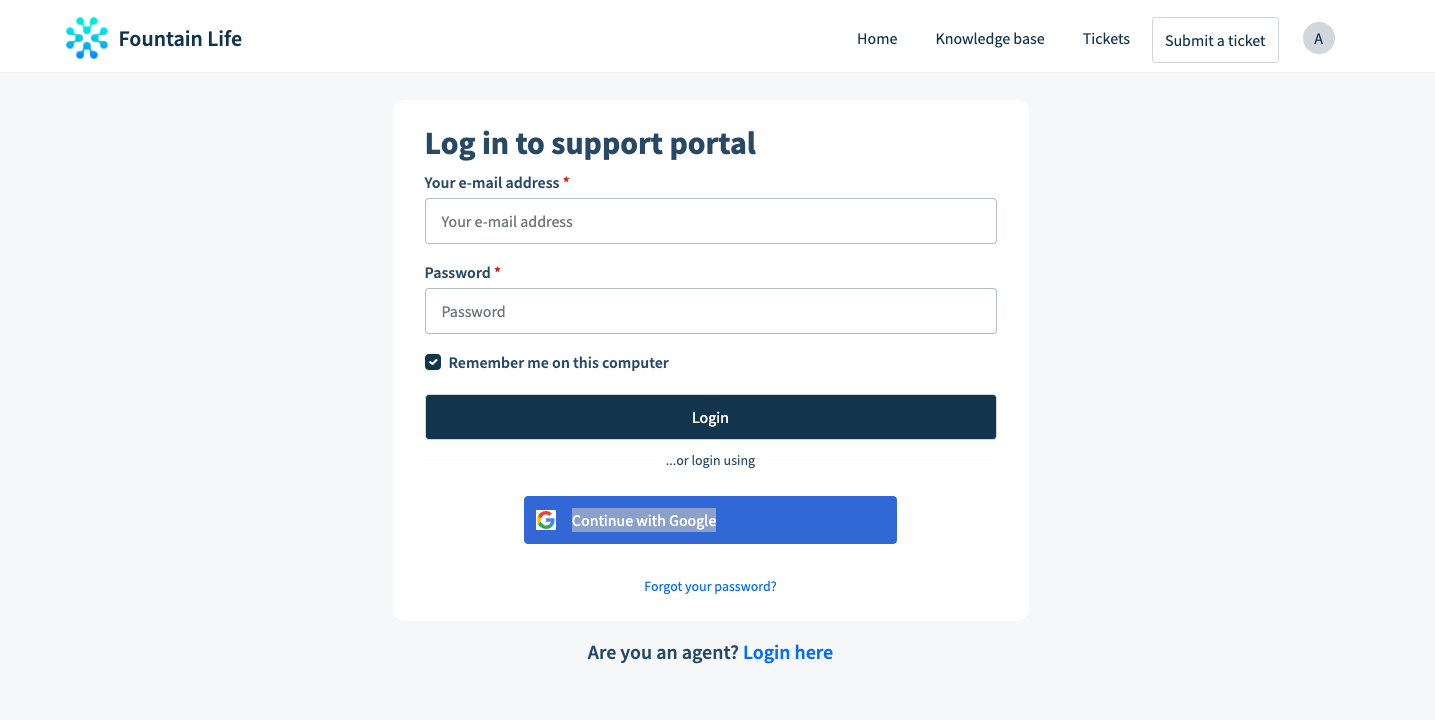
(Notice that nice 'Continue with Google Button? ?)
------
New: Google Workspaces FAQ
Let’s talk about OneNote and SharePoint. There has been a lot of questions directed our way over the past few days about these two critical applications.
Can I migrate my OneNote to Google?
There is no complete replacement for OneNote in Google Workspaces. Instead we will need to choose to either keep OneNote around, or migrate our entire Fountain knowledge base to something more modern, like Coda or Notion
Will I lose my data in OneNote?
Only Sith deal in absolutes, but I am going to go out on a limb and say: No way. From what I have been told there is a lot of critical process and workflow data stored in several different instances. That sort of knowledge is critical to our continued success!
Will I lose access to SharePoint?
You should not, but we don’t have the perfect answer for that, yet! Again, this kind of data could by migrated to a more modern solution, or we could utilize the Google Sites and Google Drive.
We should NOT lose any data stored in Sharepoint, though.
When is the migration going to happen?
Not in the short term! The Trust Team is currently handling several major initiatives, and trying to migrate our Email and Office solution is not something we can tackle at the same time. So you will continue to use your normal workflows, for the time being. Feel free to start using Google Docs and Drive though!
I tried opening Gmail, but it didn’t work?
Yep! We have not migrated that functionality yet, and won’t be able to anytime soon. Continue to use Outlook as you normally do.
Previous: Google Workspaces FAQ
What if I have multiple emails or aliases? Or had a fountainlife and fountainhealth email?
You will still have your aliases! We are going to be working on migrating those in the near future.
Will we still need to be using Keeper for password management?
Yep! Even with SSO in as many places as possible, there are going to be vendors and third parties that don’t support it. So, you will have to manage your passwords somewhere. Currently Life, Health, and Digital all have separate Keeper instances. We are actively working to get those merged together so we can utilize good practices and can share things more securely.
Will this interfere with my personal Gmail account?
Nope! Google understands that you will likely have multiple Google accounts (aka profiles). In the top right of your Google screen, there should be a small circle where you can select what profile you want to be working under. Google keeps your data and access separate based on what profile you are using.
Also, in case you were suspicious, we CANNOT see your personal profile or information. Similar to your phone, we don’t want to. We consider that an invasion of privacy that really has no benefit to Fountain.
I’m one of the lucky ones with a fountainlife and fountainhealth outlook/jumpcloud – and I use both instances daily - what does this mean?
This is a great question, and one we are actively working to ensure goes smoothly. We understand there are tools that have logins for both accounts (such as Salesforce and Elation). Our preferred outcome is that you can select which login you use through Google, versus having to manage two profiles. If that becomes too cumbersome, we can always adapt!
So does this mean we are moving to Gmail?
The Trust team would very much like to see this happen. Is it going to happen tomorrow? No. Migrating email providers is a delicate process, and we must ensure we do it right. So - we won’t be rushing that change.
Can I use the ‘Login with Google’ button I see on some apps?
Absolutely! We love this, and it makes life so much easier for you. You don’t have to remember a password and you only have to use MFA on your Google account!
Does this mean I won’t be able to use Outlook or Excel?
Yes, Finance team, you will still have Excel. (They didn’t actually ask this, but they didn’t need to. I have yet to meet a finance person that is ok with NOT having Excel.) Anyone else who requires it will also still be able to use these tools as well.
You can also use Gmail with Outlook just fine! We will publish guidance on how to get that setup.
If we migrate email, will I still have my folders and rules setup?
Likely not. Gmail is different than Microsoft when it comes to email management. We will work as closely with you as possible to try and mirror what you have, but don’t have a 100% certain answer today.
If we migrate email, will my old emails transfer over?
They should, but as mentioned above, migrating email providers is a delicate process.
Will scheduled events migrate with our calendars?
They should also migrate fine! In fact, some of our apps today prefer Google Calendar over the Outlook Calendars we have been using.
Will Sharepoint sites migrate over?
Yep!
Was this article helpful?
That’s Great!
Thank you for your feedback
Sorry! We couldn't be helpful
Thank you for your feedback
Feedback sent
We appreciate your effort and will try to fix the article