We have recently seen a large amount of phishing attacks that are using some of our trusted sources and third parties as impersonation attempts. This is known as Business Email Compromise (BEC).
TLDR: Attackers want you to click on a link to enter credentials into a website that they control! You should ALWAYS be suspicious if an email is redirecting you to a site to enter a password or download a file.
Longer Read
As part of our ongoing commitment to keeping our company safe from cyber threats, it’s important to be aware of sophisticated schemes that cybercriminals use to trick us. One such scheme is a multi-stage phishing and BEC attack. This document will provide a brief overview of this type of attack and how you can protect yourself.
Overview of Multi-Stage Phishing and BEC Attacks
These attacks are designed to steal your email credentials and use them to send fraudulent emails that appear to be from you.
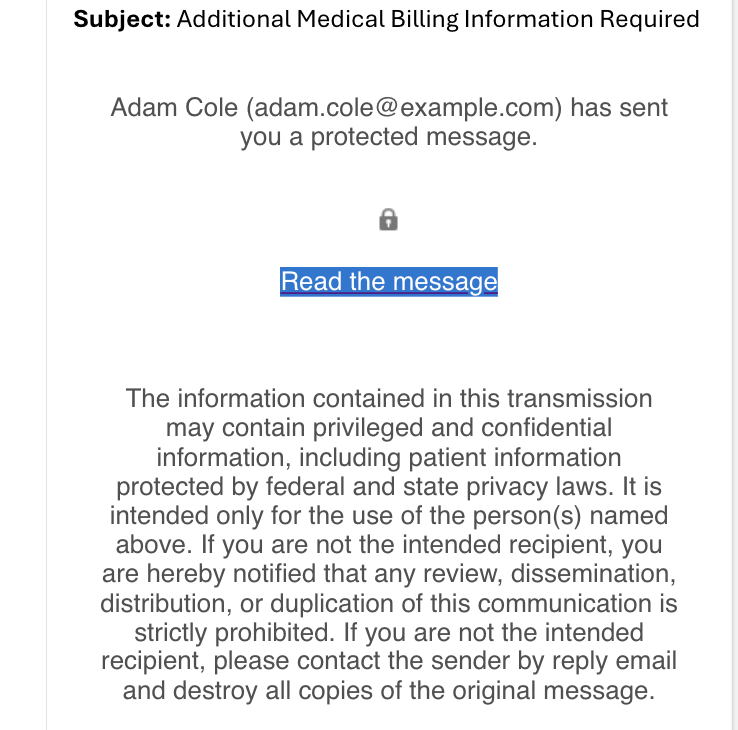
Here’s how these attacks typically work:
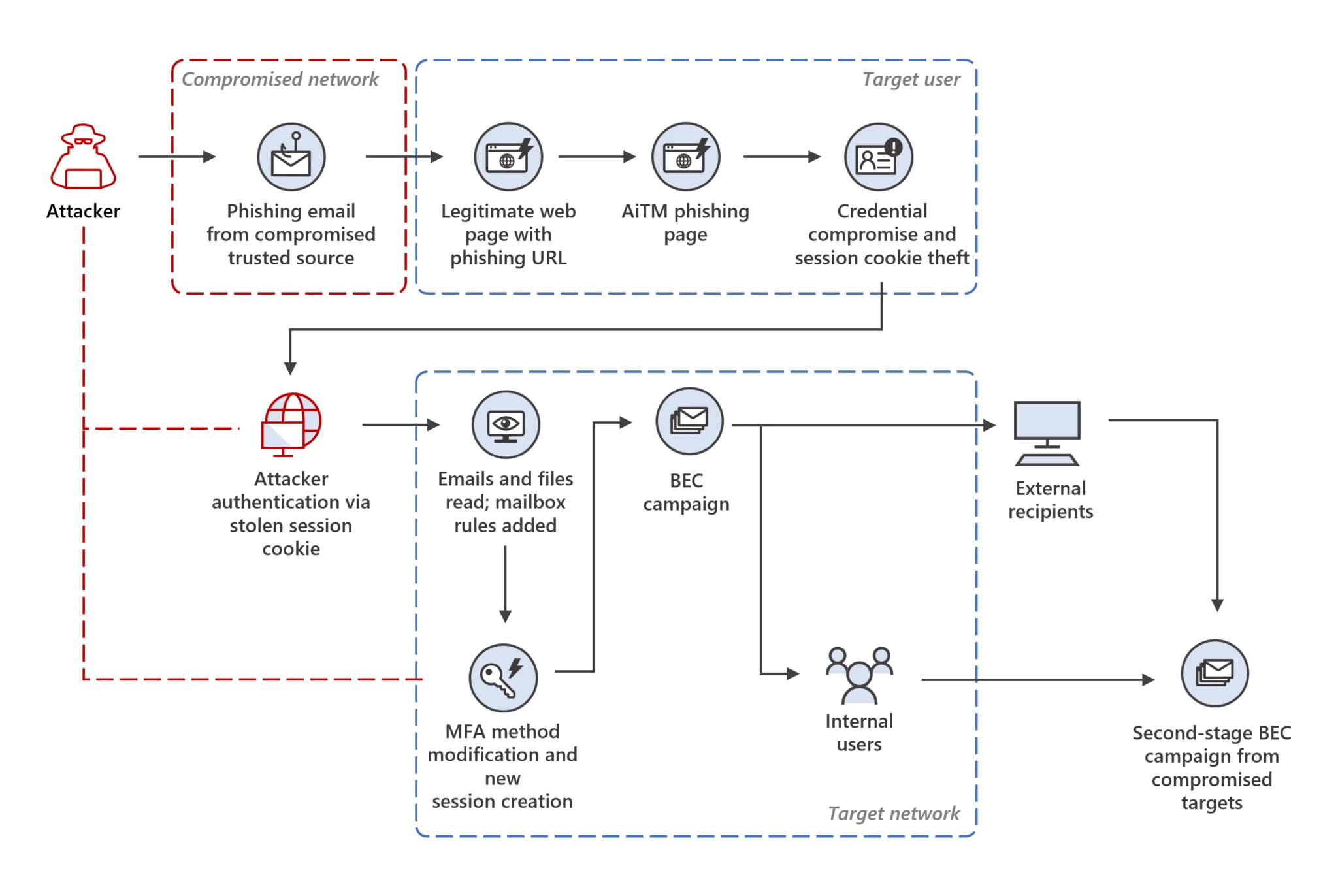
Deceptive Emails:
- You receive an email that looks like it’s from a trusted source, such as a colleague, your bank, or a popular service you use.
- The email might ask you to click a link to update your account, view an important document, or address a security issue.
Fake Login Pages:
- When you click the link, it takes you to a website that looks exactly like a legitimate login page (e.g., for your email or a company portal).
- You are asked to enter your username and password.
Credential Theft:
- When you enter your credentials, they are stolen by the attackers, who now have access to your email account.
- You might not even realize anything has happened, as you could be redirected to the real website after entering your details.
Fraudulent Emails:
- With access to your email, attackers monitor your communications to understand your contacts and how you interact with them.
- They then send emails from your account, asking for urgent financial transactions or sensitive information, tricking your contacts into thinking the requests are coming from you.
A common chain of events can be viewed via this diagram:
Was this article helpful?
That’s Great!
Thank you for your feedback
Sorry! We couldn't be helpful
Thank you for your feedback
Feedback sent
We appreciate your effort and will try to fix the article