Some patients will likely ask for their medical charts to be exported in a standard format like HL7. In order to provide patients this information, login to Elation and find that patient chart.
Click on the more options dots, and Data Exchange

This will create a pop-up with multiple options.
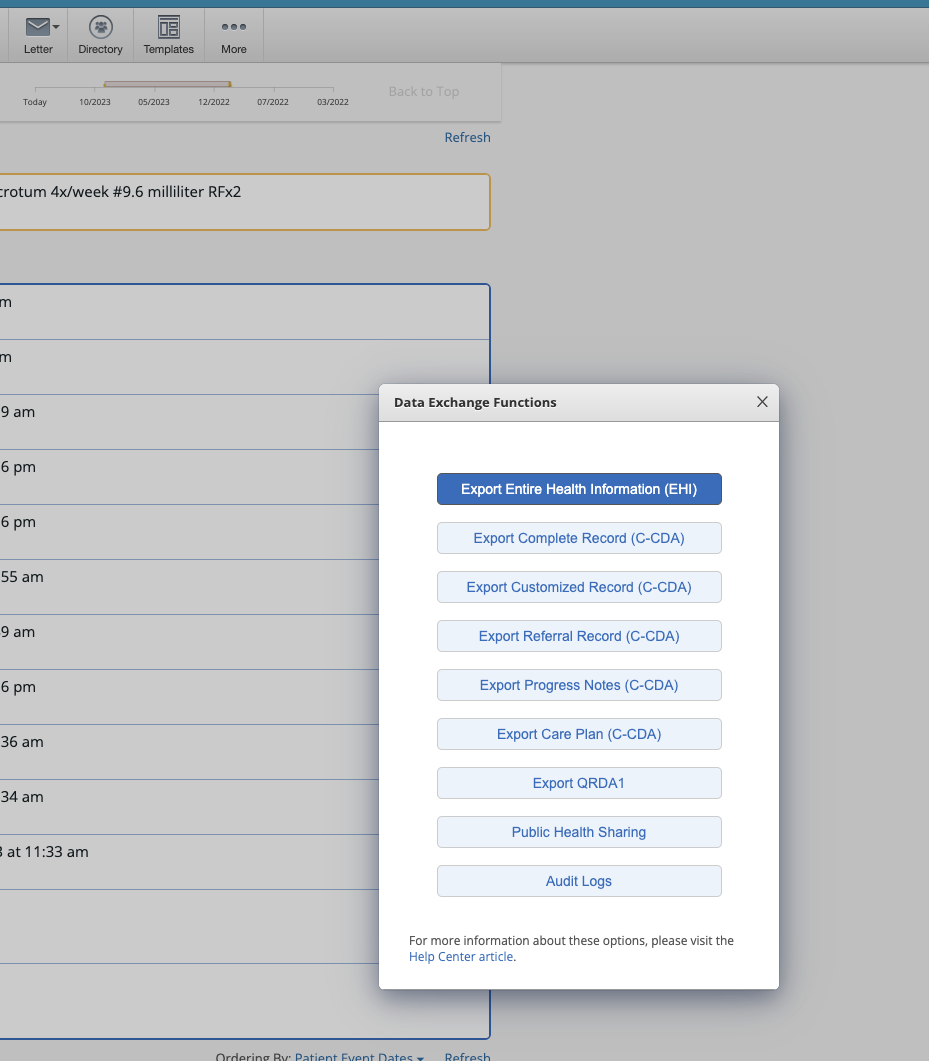
Select the option that is relevant to you. The C-CDA file format includes the HL7 format if that is what you are looking for specifically.
This will download a .zip file that you can share with your patients.
In order to share this data with your client, you should follow our data sharing guide!
Was this article helpful?
That’s Great!
Thank you for your feedback
Sorry! We couldn't be helpful
Thank you for your feedback
Feedback sent
We appreciate your effort and will try to fix the article